Benefits of Importing Revit Models into Civil 3D

Updated: Jun 6
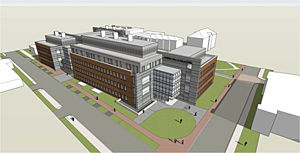
In today’s connected BIM environment, project success depends on seamless collaboration between architectural and civil disciplines. A common challenge is aligning building models created in Revit with site and infrastructure designs developed in Civil 3D.
By importing Revit models into Civil 3D, teams unlock a range of benefits that enhance design accuracy, coordination, and project delivery.
🎯 Accurate Site & Building Alignment
When a Revit model is imported into Civil 3D using shared coordinates, the building footprint aligns precisely with survey data, surfaces, and road networks:
Eliminates guesswork in positioning.
Ensures building orientation matches true north and legal boundaries.
Reduces rework caused by misaligned models.
🌍 Enhanced Multi-Disciplinary Collaboration
Civil engineers and architects can work on the same spatial reference system.
Road, grading, and utility designs connect seamlessly to the building.
Architects can visualize how site design impacts the building.
Engineers gain context to refine infrastructure layouts.
This leads to better communication and fewer clashes across disciplines.
⛏️ Smarter Earthworks and Grading Design
With the Revit model inside Civil 3D, engineers can:
Design grading plans that respect building foundations.
Optimize cut-and-fill balances.
Plan retaining walls, ramps, and drainage accurately.
This prevents costly redesigns and improves constructability.
🔌 Improved Utility and Services Coordination
Civil 3D users can overlay utilities directly with the building footprint.
Service entry points in Revit (e.g., water, sewer, electrical) can be tied to Civil 3D networks.
Underground clashes are detected earlier.
Service routes are optimized before construction.
This reduces the risk of unexpected conflicts during installation.
📊 Data-Driven Decision Making
Bringing Revit into Civil 3D provides a comprehensive project model.
Enables volumetric analysis of cut and fill around buildings.
Supports visualizations and simulations for stakeholders.
Facilitates cost and schedule forecasting when integrated with 4D/5D BIM.
Better data leads to smarter project decisions at every stage.
💡 Conclusion
Importing Revit models into Civil 3D is more than a technical exercise — it is a strategic advantage. Accurate alignment, stronger collaboration, optimized grading, coordinated services, and data-driven insights all contribute to smoother project delivery.
For project teams embracing BIM, this workflow is a key step toward achieving true multi-disciplinary integration and delivering better outcomes for clients and stakeholders.
🎓 Build This Skill Through Our Graduate-to-Engineer Program
As part of our Graduate-to-Engineer Training Program, we offer a hands-on Civil 3D and Revit courses that guide new engineers through real-world workflows — from building accurate services models to coordination with Revit models.
This structured program accelerates the learning curve, helping graduates become confident, project-ready engineers faster.


Comments